Where to open Dependency Graph in Jira
Dependency Graph opens wherever you plan work in Jira. Each place shows a dependency map of the issues there: one issue, a JQL search, a board, the backlog, a sprint or the whole site.
Don't see these places? Ask your Jira admin to update the app: Apps → Manage apps → Update.
Dependency Graph by VortexWeb Innovations is a Jira Cloud app to view and visualize Jira dependencies as an interactive dependency map, from blockers and linked issues to the full epic-to-subtask dependency tree. About 3,500 people use it on 185 Jira sites (October 2026).
Open the dependency map where you work
Dependency map of a single issue
Open the app on any work item to see every connected issue

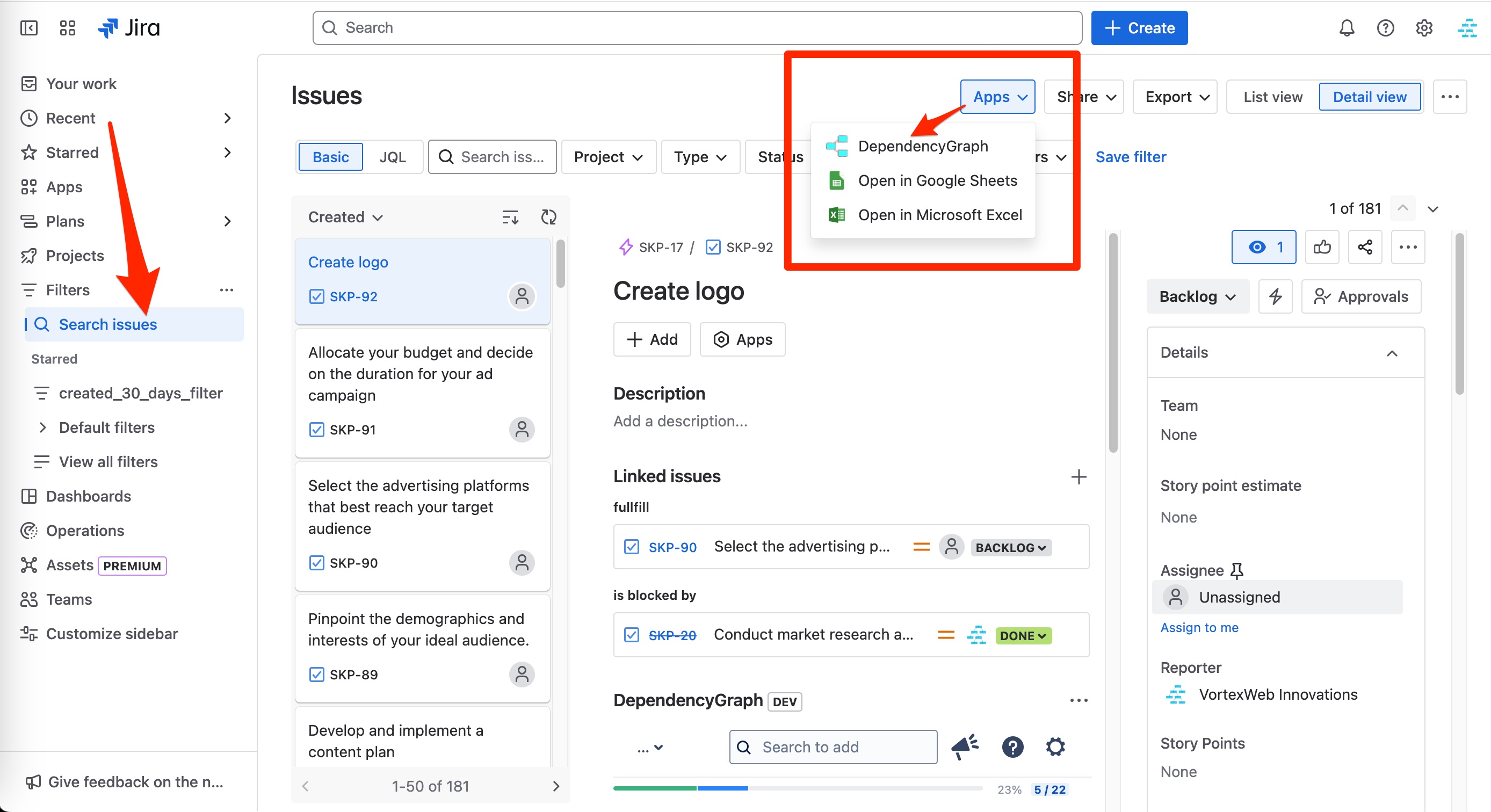
Dependency map of a JQL search
View the dependencies between all issues in your search results
- ✓ Free for up to 10 users
- ✓ No setup
- ✓ Runs on Atlassian
- ★ 5.0 on Marketplace
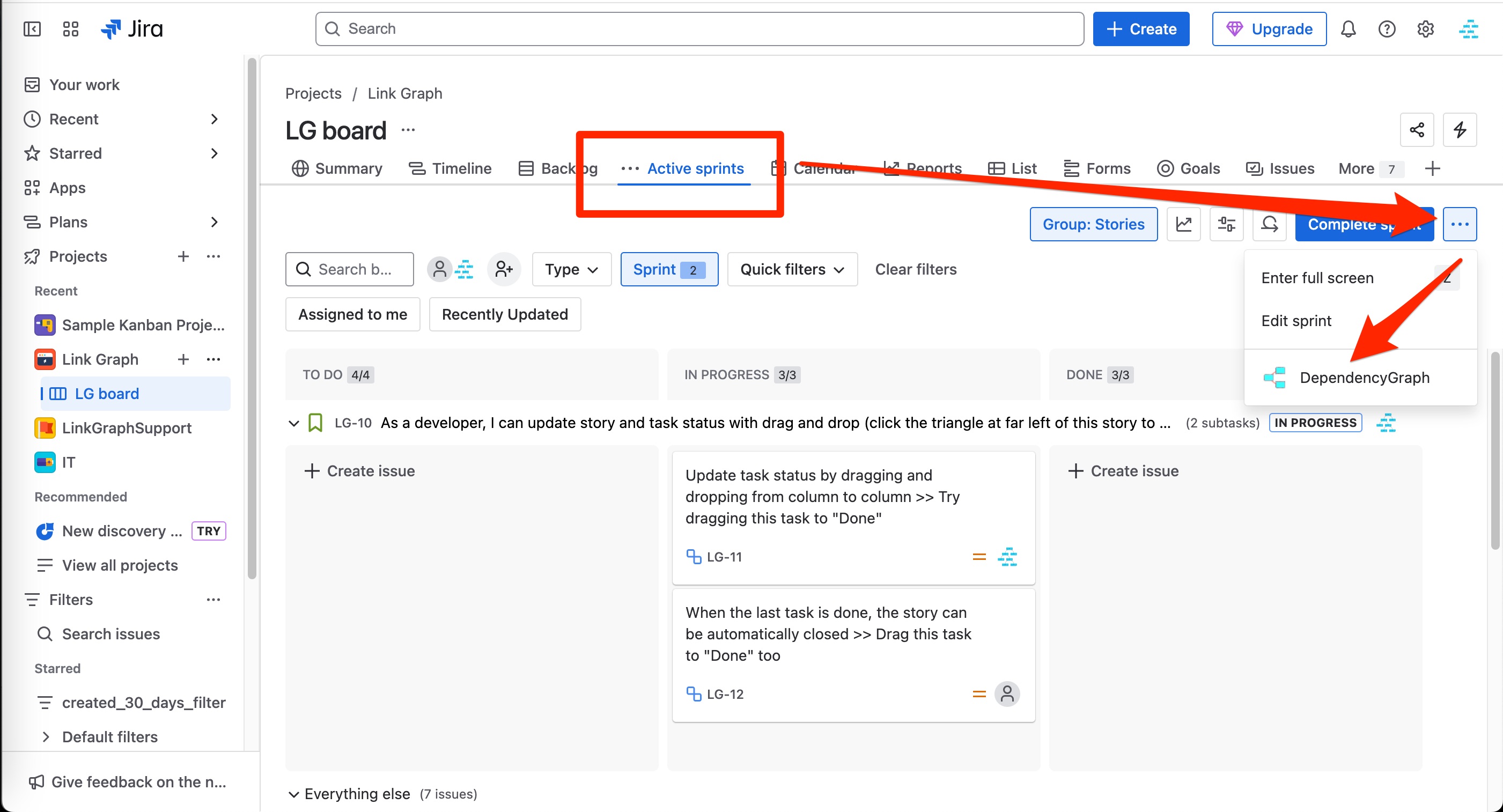
Dependency map of a board
Scrum boards show current and future sprints; Kanban boards show issues in progress
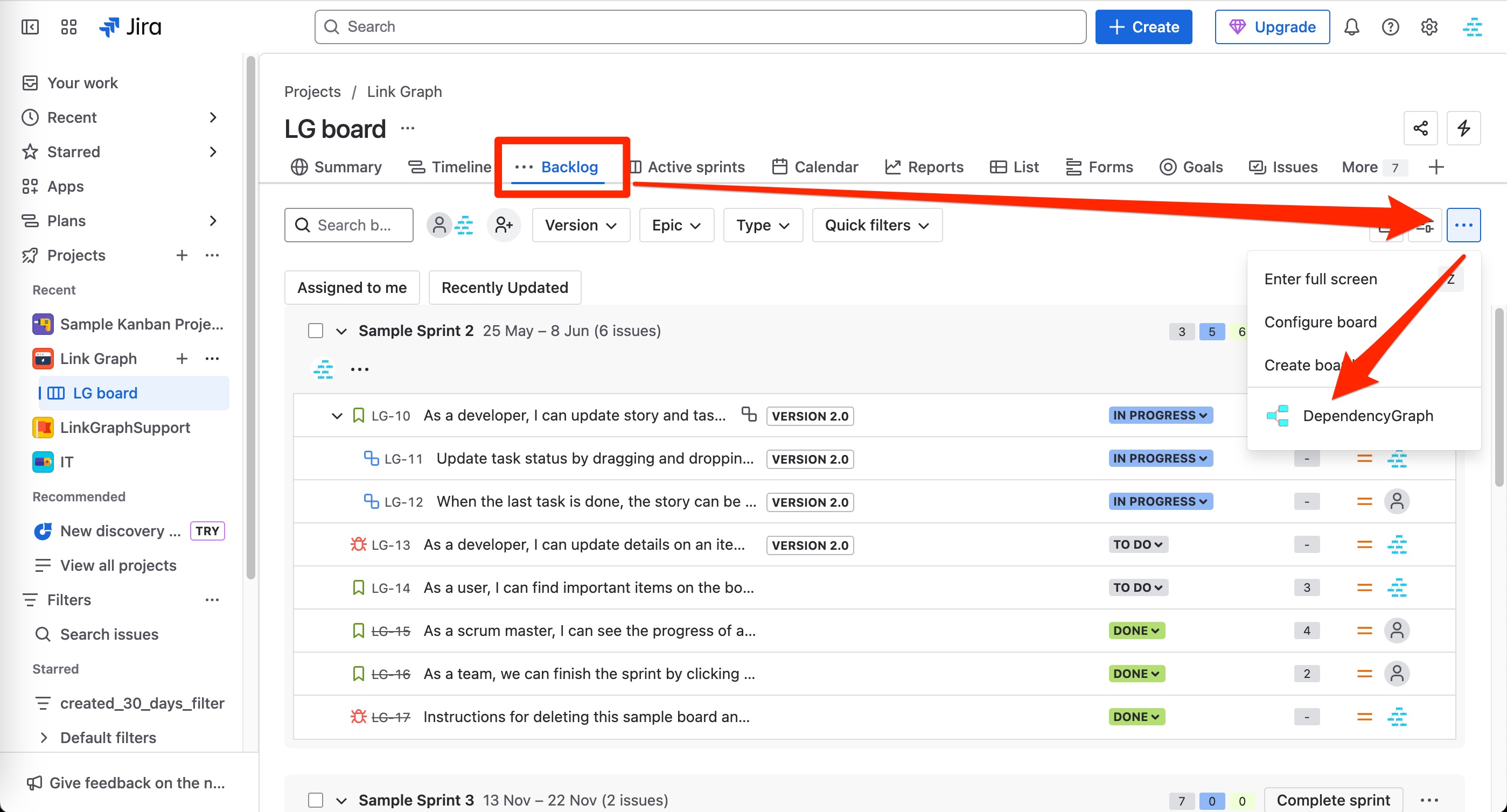
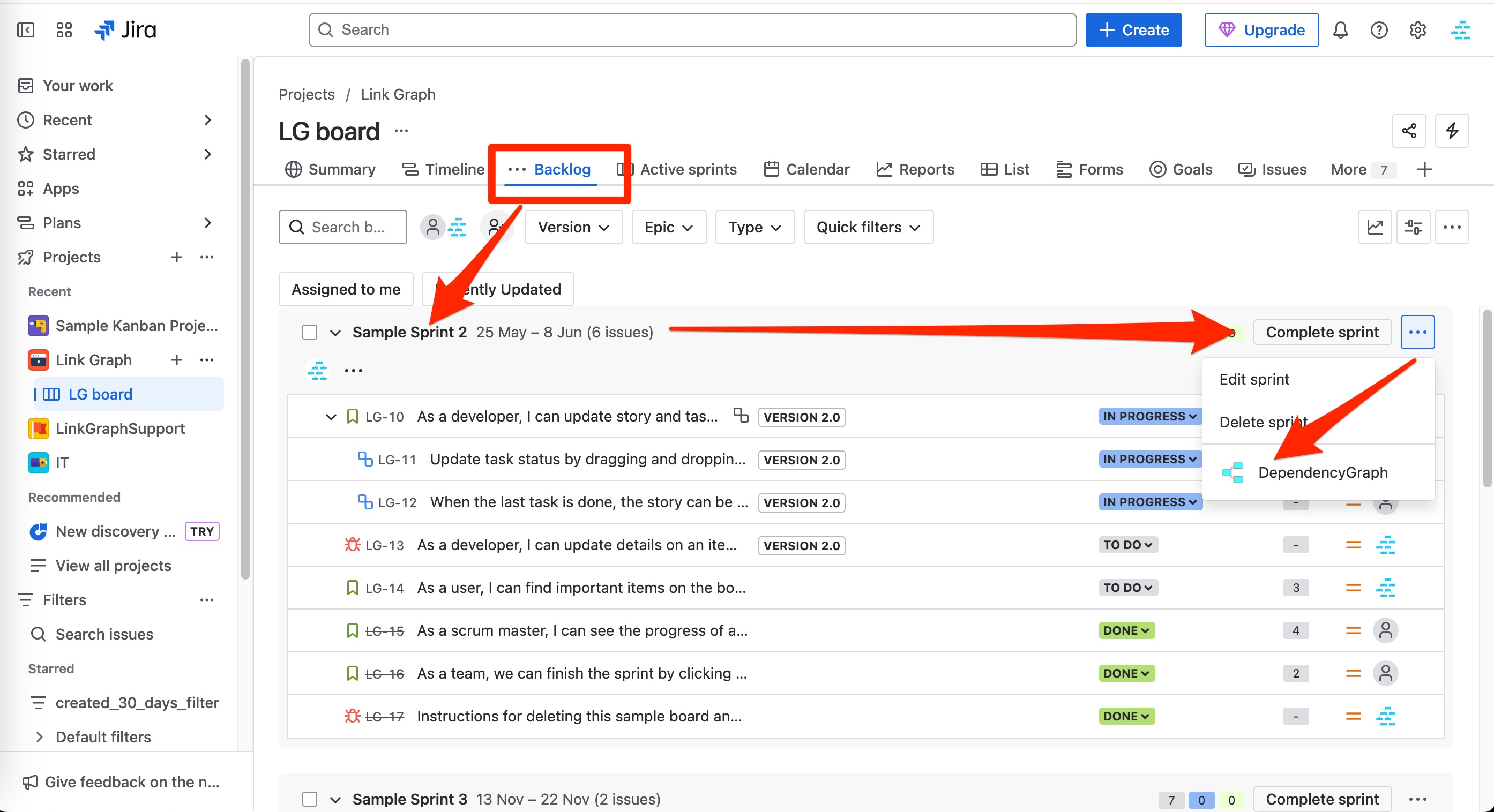
Dependency map of the backlog
Open the map from the backlog menu
Sprint dependency map
View the dependencies of one sprint, grouped by sprint
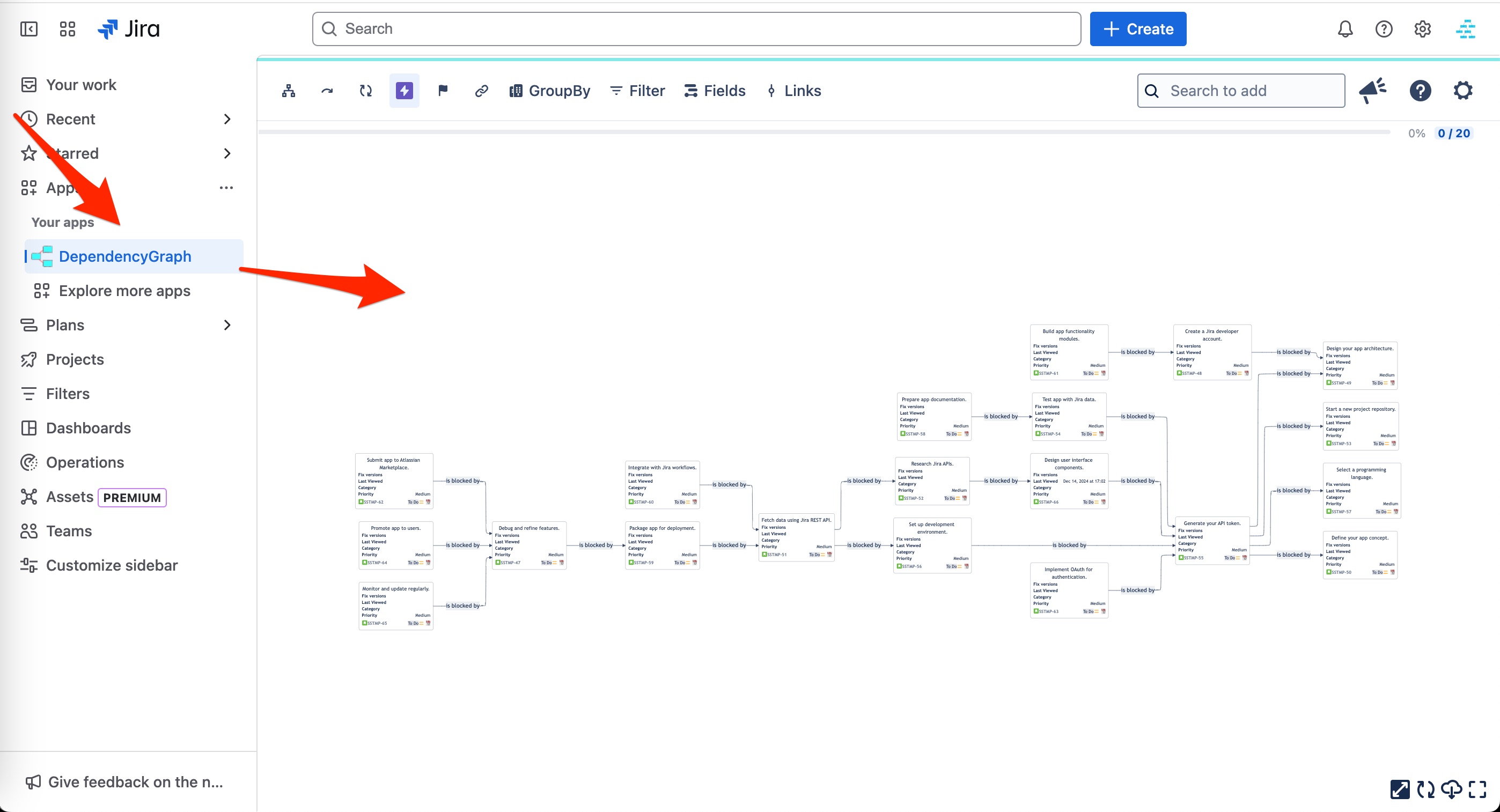
Full-page dependency map
Open the app from the Apps menu for the largest view
Try Dependency Graph free on Atlassian Marketplace
- ✓ Free for up to 10 users
- ✓ No setup
- ✓ Runs on Atlassian
- ★ 5.0 on Marketplace
Not a Jira admin? Ask your admin to install it.